On this page
Getting the MP3 is the easy part. Picking the bitrate is where most people go wrong, usually by choosing the biggest number and filling their phone with files that sound no better.
On PasteAndSave, about one download in twelve is audio only, according to our own numbers for the last month. Here is how to make yours sound right at the smallest sensible size.
How to convert a video to MP3
- Copy the video link. In most apps that is Share, then Copy link.
- Paste it into the video to MP3 converter and press Download.
- Open the Audio tab.
- Choose a format and bitrate, then save.
It works for YouTube, TikTok, Instagram, Facebook, X, SoundCloud and the other sites PasteAndSave reads. For YouTube in particular there is also a YouTube to MP3 page.
What bitrate means
Bitrate is how much data is spent on each second of sound, written in kilobits per second, or kbps. More data keeps more detail, up to a point, and makes the file bigger in a straight line:
| Bitrate | Size per minute | Size of a 4 minute song | Good for |
|---|---|---|---|
| 64 kbps | about 0.5 MB | about 2 MB | Speech on a slow phone |
| 96 kbps | about 0.7 MB | about 3 MB | Podcasts, lectures |
| 128 kbps | about 0.9 MB | about 4 MB | Everyday listening |
| 256 kbps | about 1.9 MB | about 8 MB | Music |
| 320 kbps | about 2.3 MB | about 9 MB | Music from a very good source |
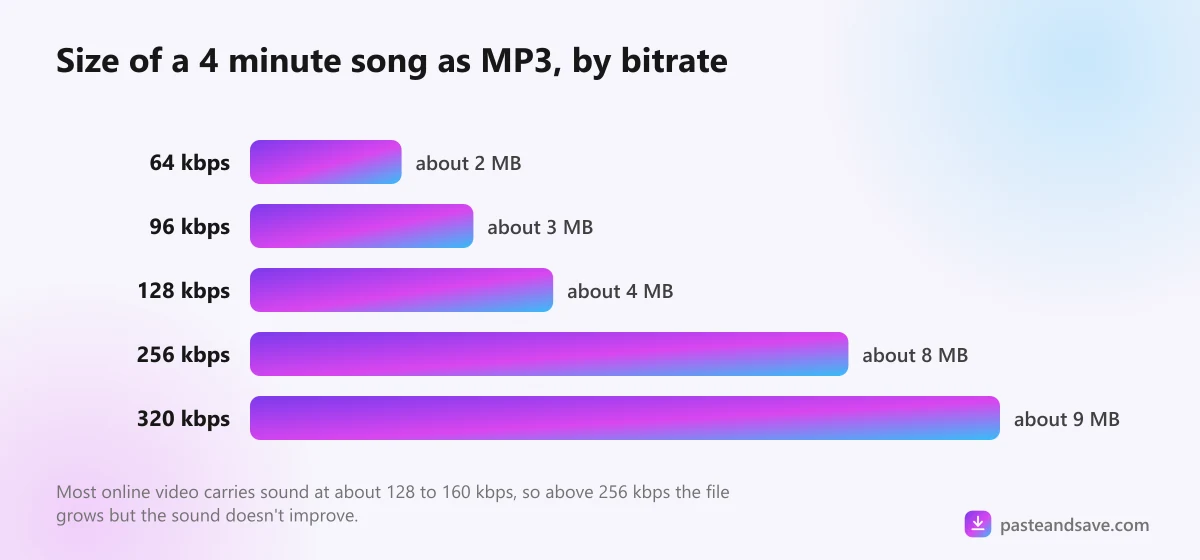
The catch: you can't add quality that isn't there
A conversion can only keep what the source has. Most online platforms store audio at a modest rate. YouTube, for example, usually streams sound at around 128 to 160 kbps. Turning that into a 320 kbps MP3 makes a bigger file that sounds exactly the same.
So the honest rule is simple:
- Speech (podcasts, lectures, voice notes): 96 or 128 kbps.
- Music from YouTube, TikTok or Instagram: 256 kbps, or M4A.
- 320 kbps: only when the source is known to be high quality, such as a SoundCloud upload from the artist.
MP3 or M4A?
- MP3 plays on every device ever made, including old car stereos and cheap speakers. When in doubt, MP3.
- M4A holds AAC sound, which is better than MP3 at the same size. On PasteAndSave the M4A option keeps the original audio without converting it, where the source allows. Nothing is lost, and nothing is added.
If your phone, laptop and speaker are all from the last ten years, M4A is the better choice. The formats lesson explains the difference between the two in more depth.
Where the file goes
The MP3 lands in your Downloads folder, the same as a video. On iPhone that is the Files app. Apple's Music app won't pick files up from there by itself, so play them in Files or in a free player such as VLC. On Android, music players like the built in one on Samsung, or VLC, find files in the Download folder on their own. The phone guide shows where everything goes.
Respect the music
Songs are some of the most protected content online. Converting a music video for your own offline listening is a gray area in many countries. Uploading the MP3 anywhere, using it in your own videos, or playing it in a shop or a gym needs a licence. The legal lesson explains the rules without the jargon.
Ready? Paste a link into the video to MP3 converter and try 256 kbps or M4A first.
Ready to try it?
Free, no sign up, works on any phone or computer.
Advertisement
Questions people ask
Is 320 kbps better than 128 kbps?+
Only if the source has that much detail. Most online videos store their audio at around 128 to 160 kbps, so a 320 kbps MP3 of them is bigger but not better. For music from YouTube, 256 kbps or M4A is the sensible top choice.
What is the difference between MP3 and M4A?+
Both are audio files. MP3 plays on absolutely everything. M4A holds AAC audio, which sounds better at the same size, and on PasteAndSave it can keep the original sound without converting it. Choose MP3 for old devices and car stereos, M4A for everything else.
Can I convert a YouTube video to MP3 on iPhone?+
Yes. Copy the video link, paste it into the converter in Safari, open the Audio tab and choose MP3. The file goes to the Files app, where the Music app can't play it directly, so use the Files app or a player such as VLC.
Why does my MP3 sound worse than the video?+
Usually because a low bitrate was chosen, such as 64 or 96 kbps, which suit speech but not music. Convert again at 256 kbps or choose M4A to keep the original sound.